
Most of what we build starts with a crew telling us what gets in their way. Over the last few weeks a lifeboat crew has been doing exactly that: how long it takes to sort a rota, how hard it is to find where you change your availability, and how a prompt on your phone is no use when you're driving. This update is the result. Here's what's new.
A Calendar tab
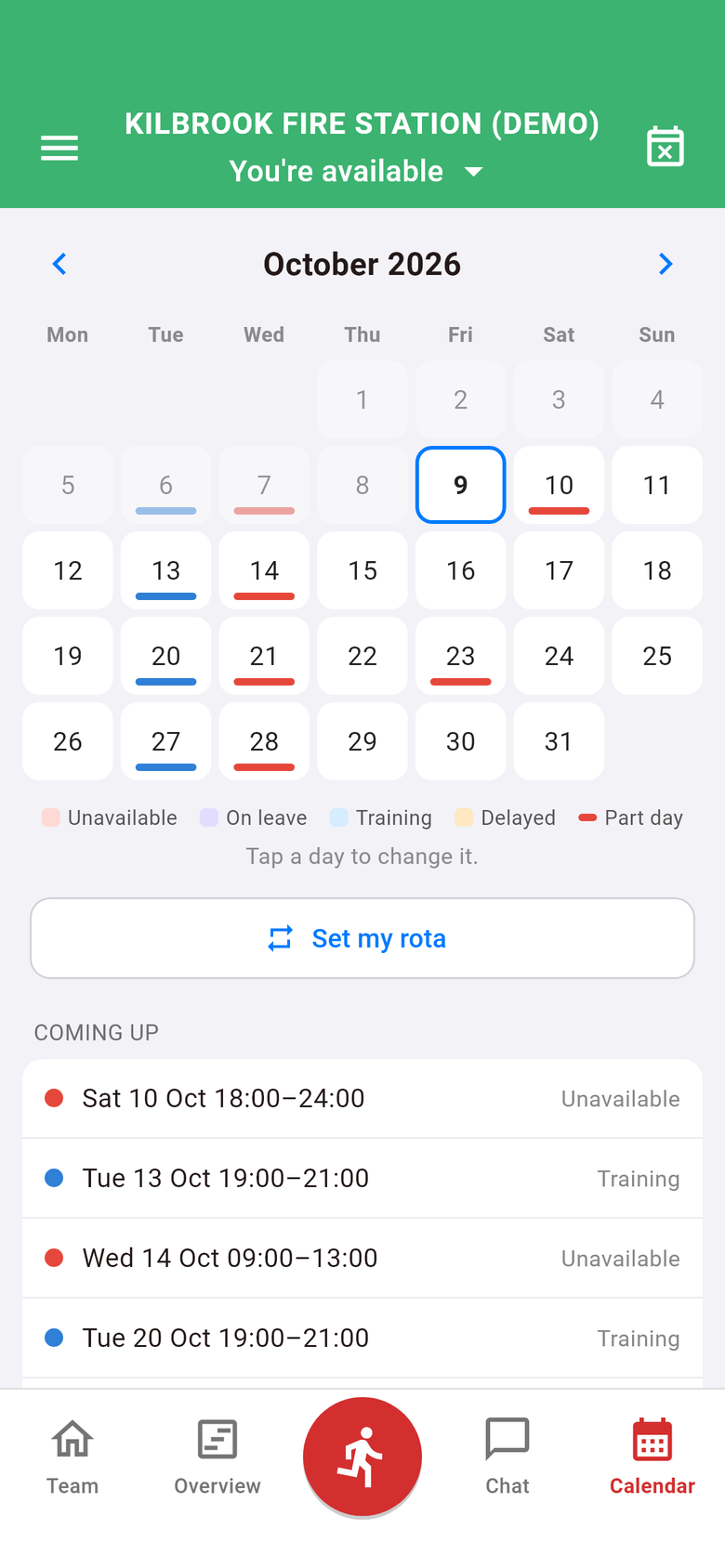
Changing your availability used to be tucked away behind an Edit button. Now it has its own tab. The new Calendar tab shows your month at a glance: days you're unavailable, on leave or on training are shaded, and days where you're only off for part of the day are underlined. Tap any day to change it, and the Coming up list shows what you've booked over the next six weeks.
The Calendar takes the place of Events in the bar along the bottom. Events hasn't gone anywhere: you'll find it in the side menu.
Book time off in one go
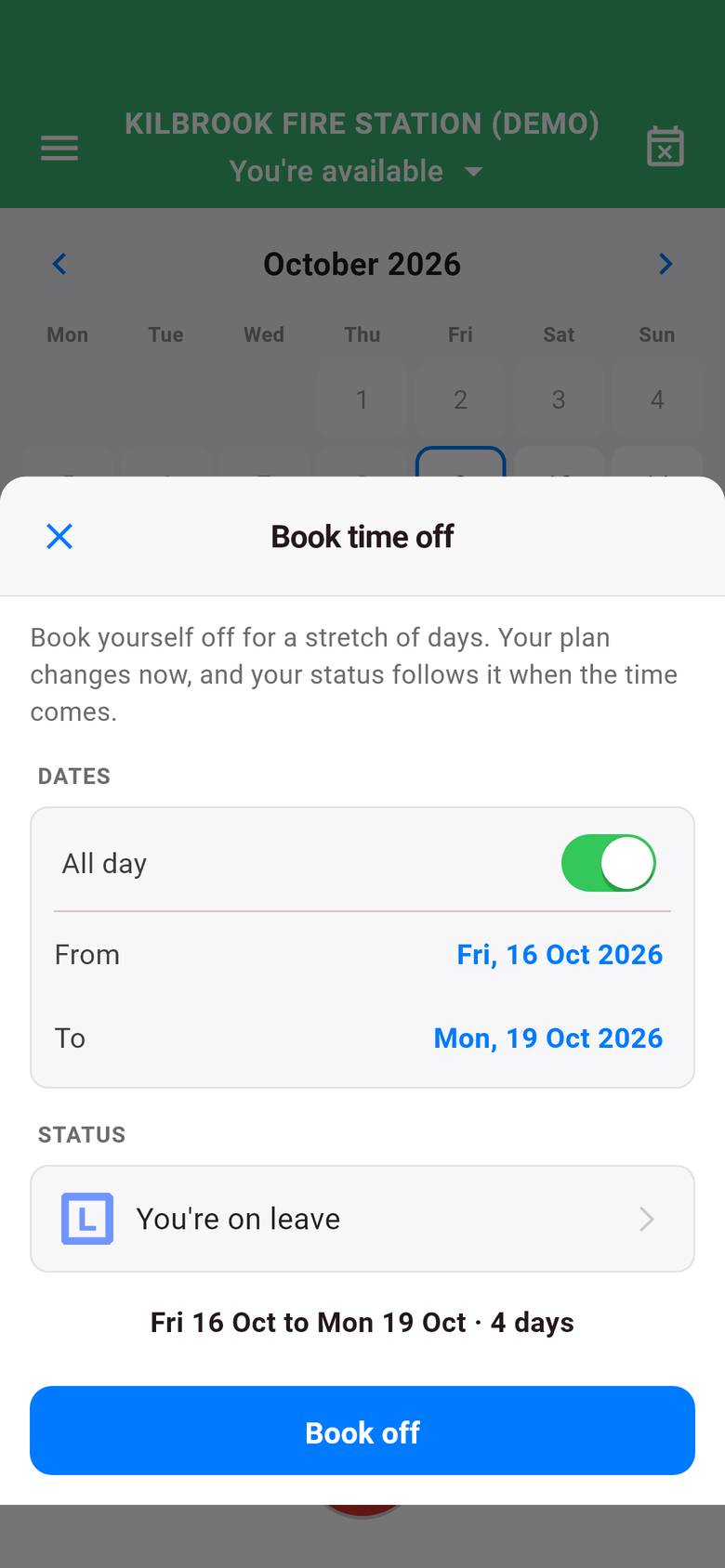
Away for a long weekend, or a fortnight in the sun? You no longer need to change each day by hand. Book time off lets you pick the first and last day, or exact times if you're off from Friday evening to Tuesday morning, and books the whole stretch as unavailable, leave or training. Anything you'd already planned outside that stretch is left as it was.
Set your rota once
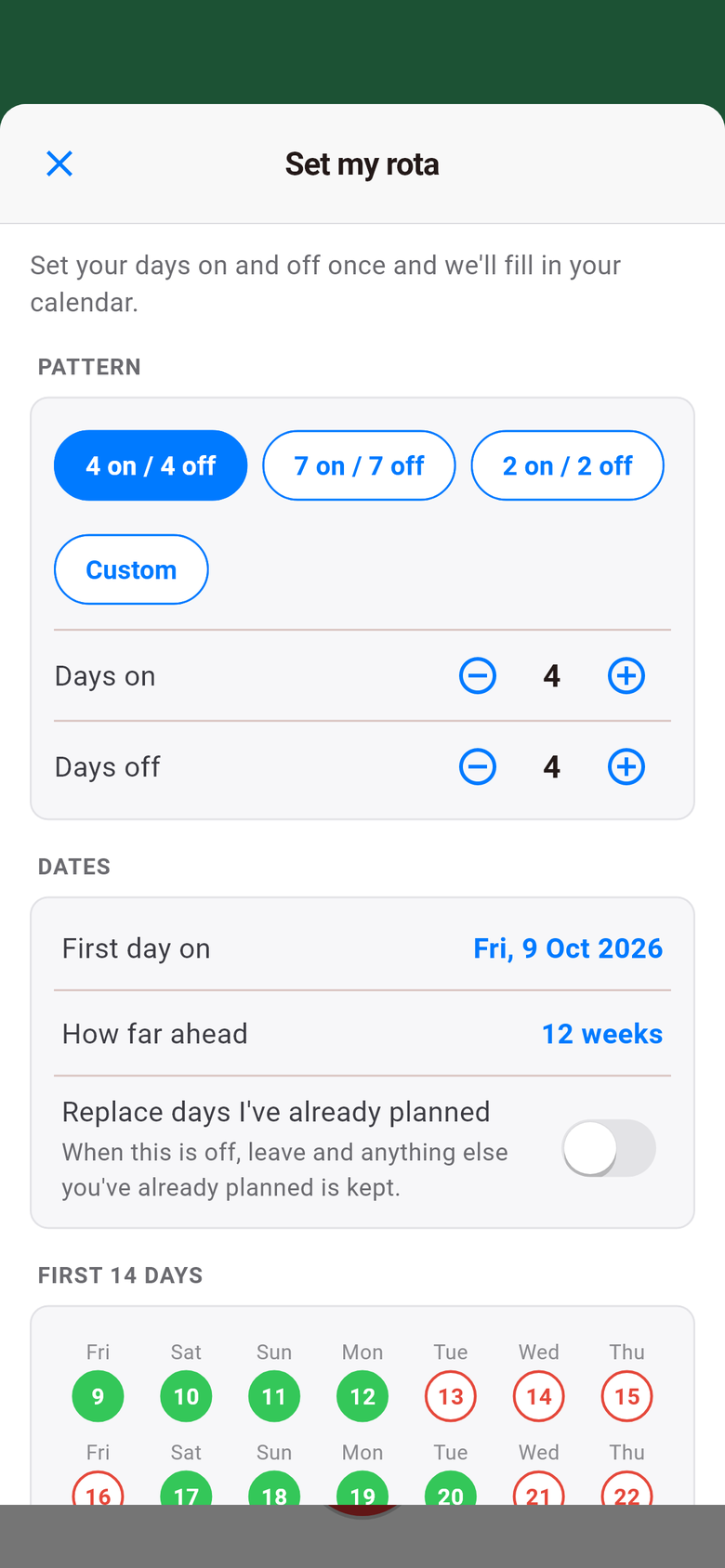
Lots of crew work a regular pattern: four on and four off, a week on and a week off. Now you can tell the app once and it fills in your calendar for you, up to a year ahead. Pick a pattern (or set your own), choose your first day on, and you'll see a preview of the next fortnight before anything is saved. Leave you've already booked is kept, unless you ask for it to be replaced.
Station admins can do the same for their crew from the station dashboard, using duty patterns.
Your station's logo in the app
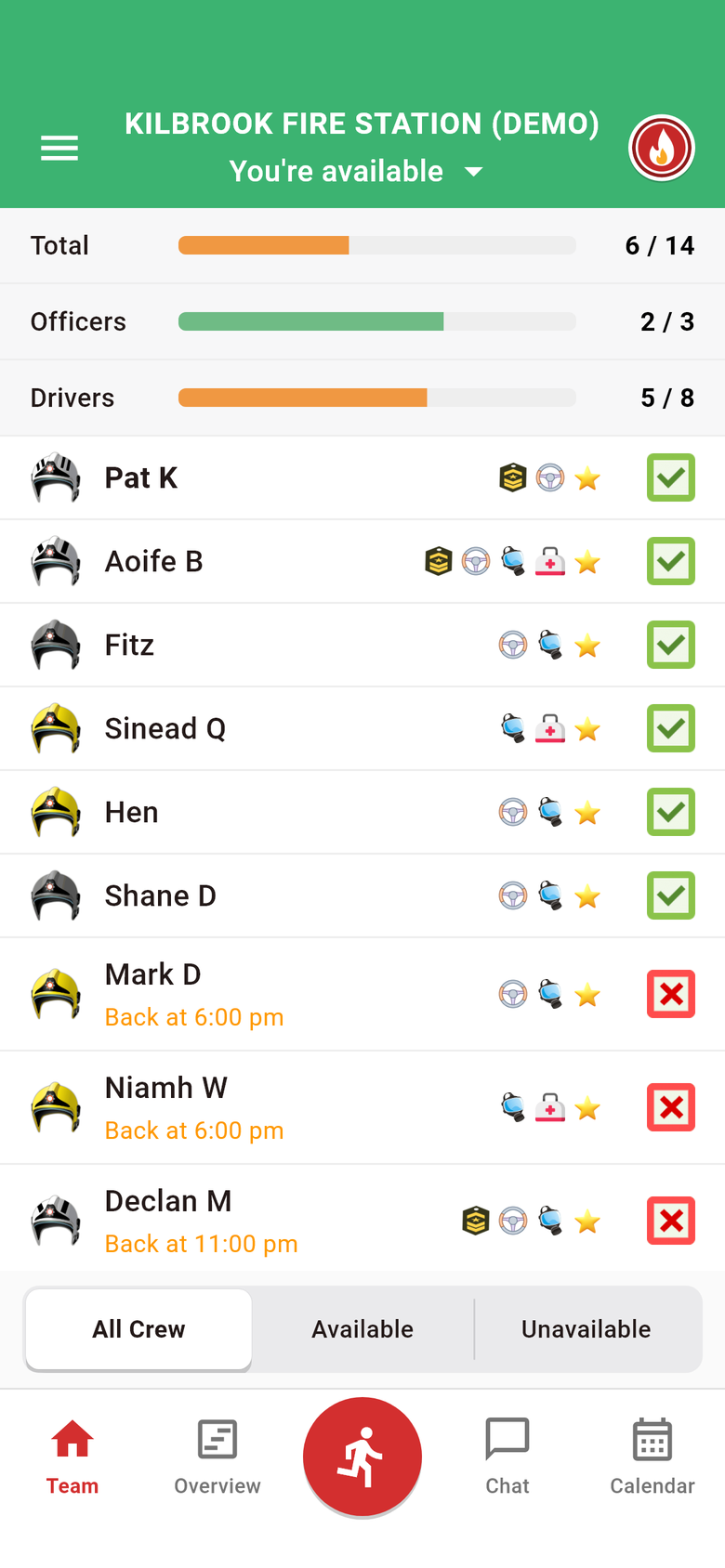
Your station's logo can now sit at the top of the app on the Team screen and in the side menu. Station admins upload it themselves, from the app or the dashboard, and can change it whenever they like.
No more "available" while you're asleep
A status that's out of date is worse than no status at all. Two changes help keep it right:
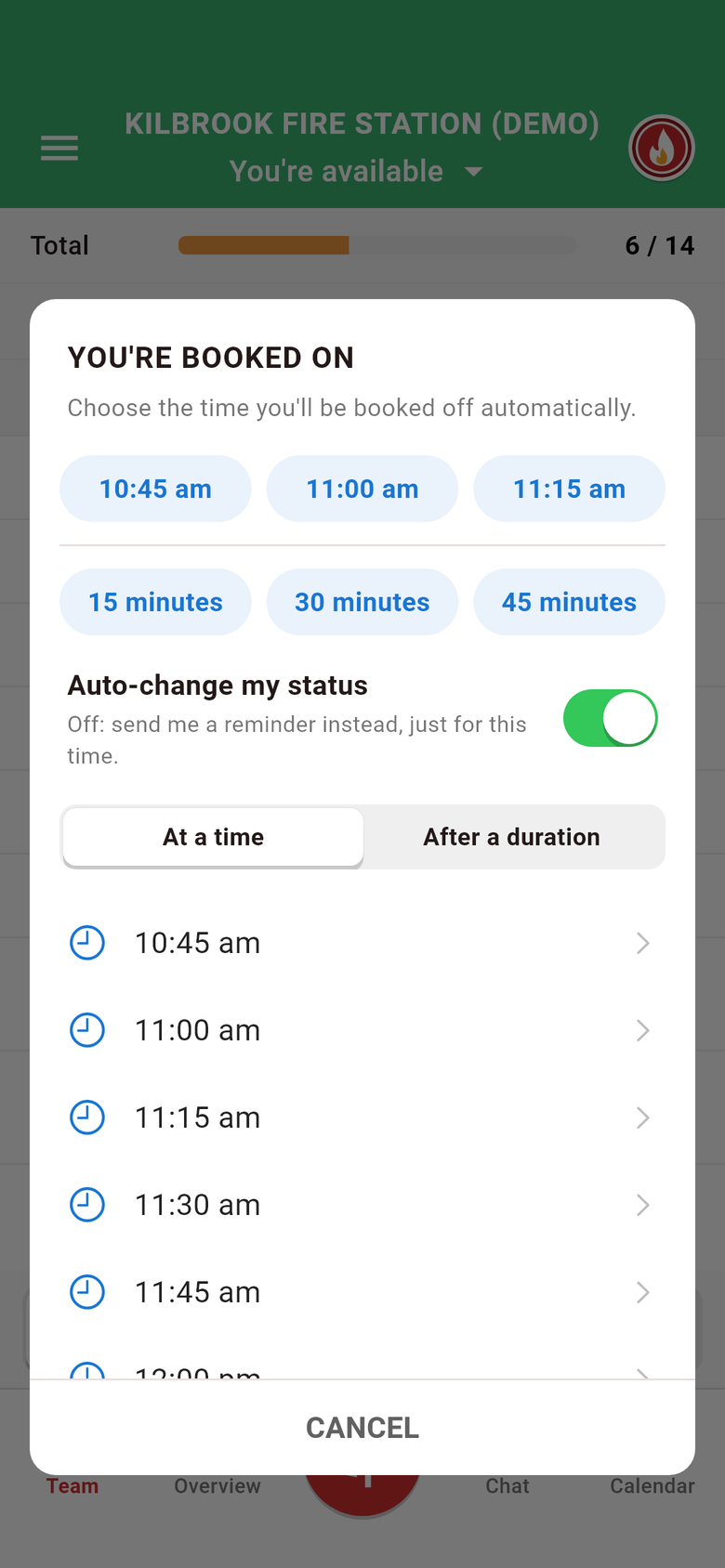
- How long are you available for? When you book on, the app can ask how long for, a few hours or until a set time, and book you off automatically when the time's up. You choose whether it simply books you off or gives you a nudge to do it yourself. Your station can switch this on for everyone, and you can still switch it off for yourself.
- Status checks. At set times, 08:00 and 20:00 to start with, you get a notification telling you what you're currently set to, so you can fix it if it's wrong. You can switch these off or pick your own times, and you won't be asked about an hour your planned availability already covers.
Geofencing that changes your status for you
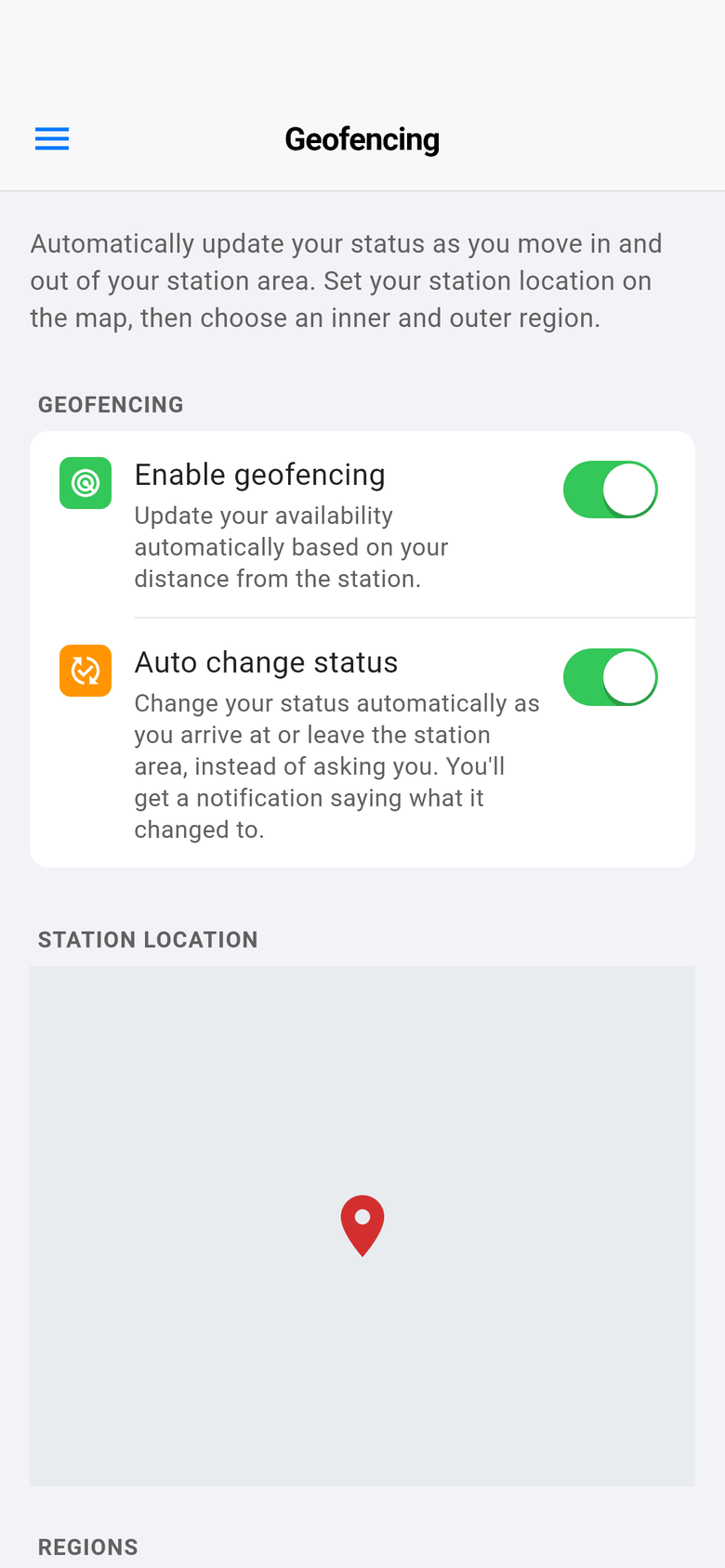
Geofencing has always offered to change your status as you arrive at or leave your station area, with a notification you tap to confirm. As the crew pointed out, a prompt is no use when you're driving. You can now switch on Auto change status, and your status changes by itself as you cross the boundary, with a notification saying what it changed to. If it can't make the change, for example with no signal, you get the usual prompt instead. It's off unless you choose it.
Alerts that know when you're booked off
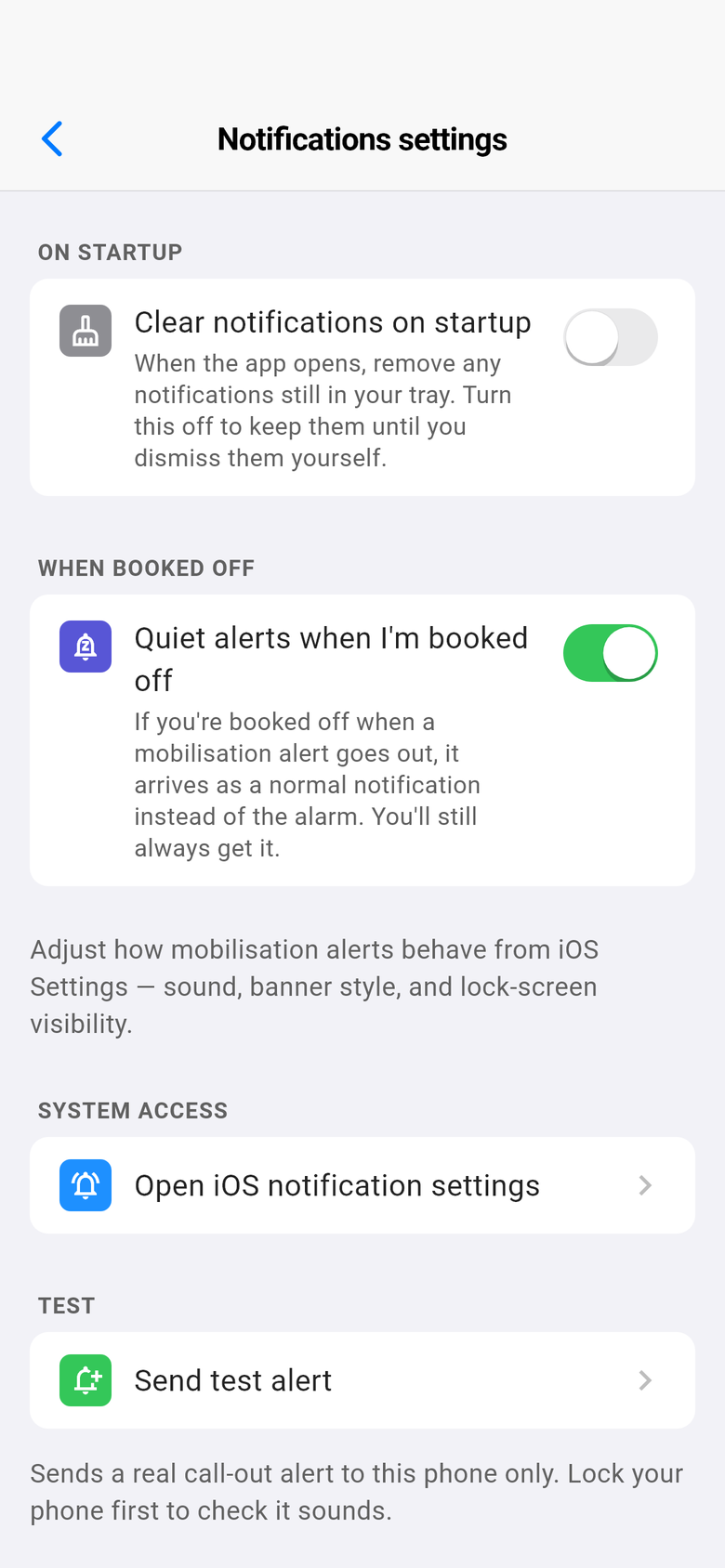
- Quiet alerts when you're booked off. If you'd rather not have the full alarm while you're off duty, you can choose to have mobilisation alerts arrive as a normal notification while you're booked off. You'll always still get the alert, and anyone booked on gets the alarm exactly as before.
- Who sent it. Mobilisation alerts now say who sent them, and a note goes into your station chat (without buzzing everyone again), so you can scroll back and see who sent what, and when.
Getting it
All of this will be in the next update of iFire, iCrew and iRescue for iPhone and Android, with station-wide settings on the station dashboard. The "who sent it" line on alerts is already working, whichever version of the app you have.
Thank you to the lifeboat crew whose feedback shaped this update. If something in your day-to-day could be easier, tell us: there's a good chance it ends up in the next one.
Screenshots are from our made-up demo station, Kilbrook.