
Every station on iOnCall has at least one admin: the person who invites the crew, sets up vehicles and crewing rules, and looks after the subscription. Usually that's whoever set the station up. But crews change. People move on, retire or swap stations, and sometimes the one person who could manage things leaves without handing over.
Until now, the fix was to email us and ask for someone to be made admin. That works, but it's slow, and it means your station is stuck waiting on someone outside it. So we've changed two things.
Admin is handed over when the last admin leaves
If the last admin leaves the station, deletes their account or is voted off, admin now passes automatically to the longest-standing member of the crew. They get a notification telling them, and from then on they can make anyone else an admin from that person's profile, as before.
If you're the admin and you're leaving, nothing changes for you: leave as normal and the station is looked after.
A station with no admin can choose one
Some stations already have no admin, usually because the person who set them up left before this change. If that's your station, you'll see an amber Your station has no admin strip at the top of the Team tab in the app, and at the top of the Overview on the station dashboard.
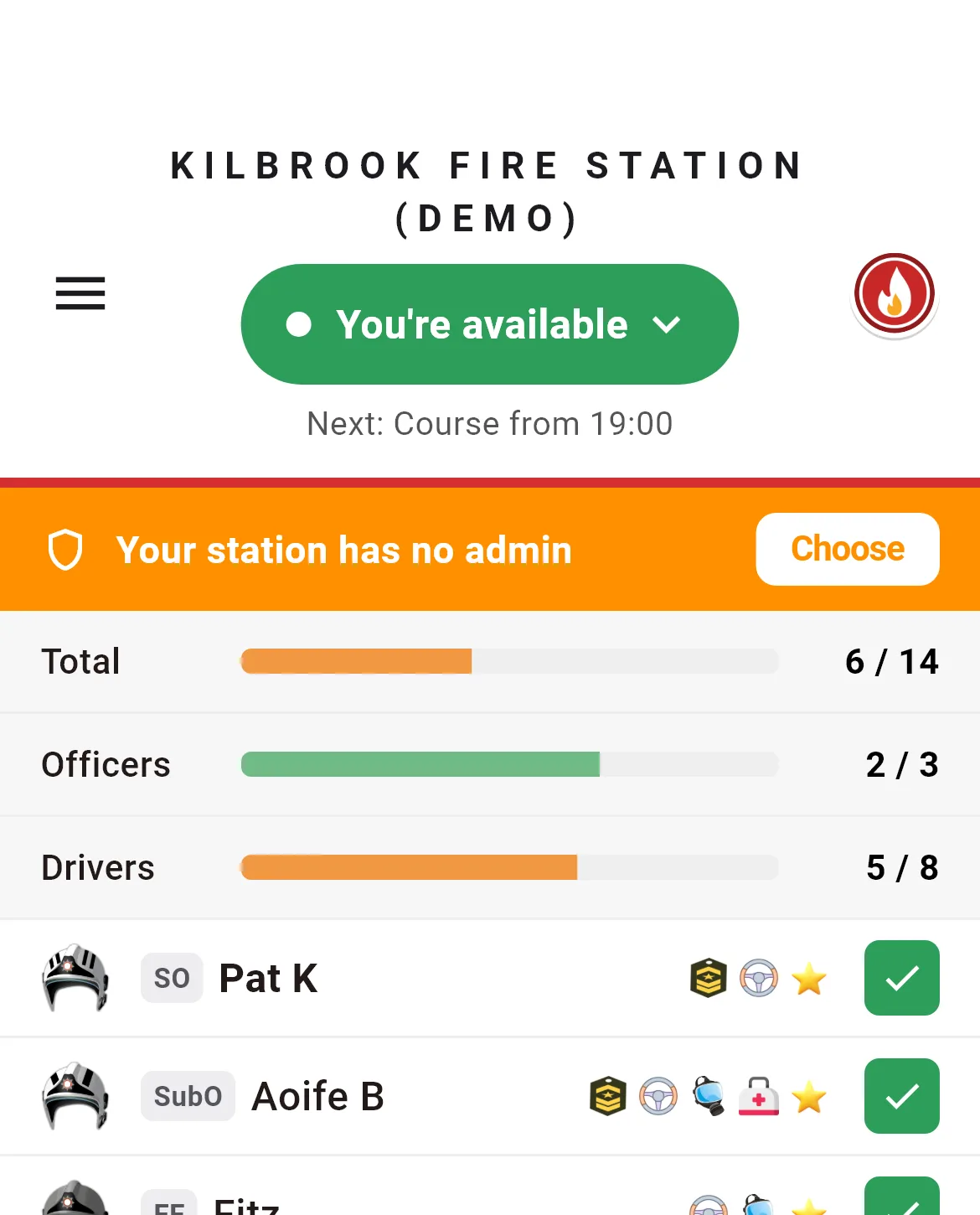
From there, any member can nominate someone as admin, including themselves. The rest of the crew can then back the nomination. Once three other members back someone, they become the station admin straight away, and everyone at the station gets a notification saying so.
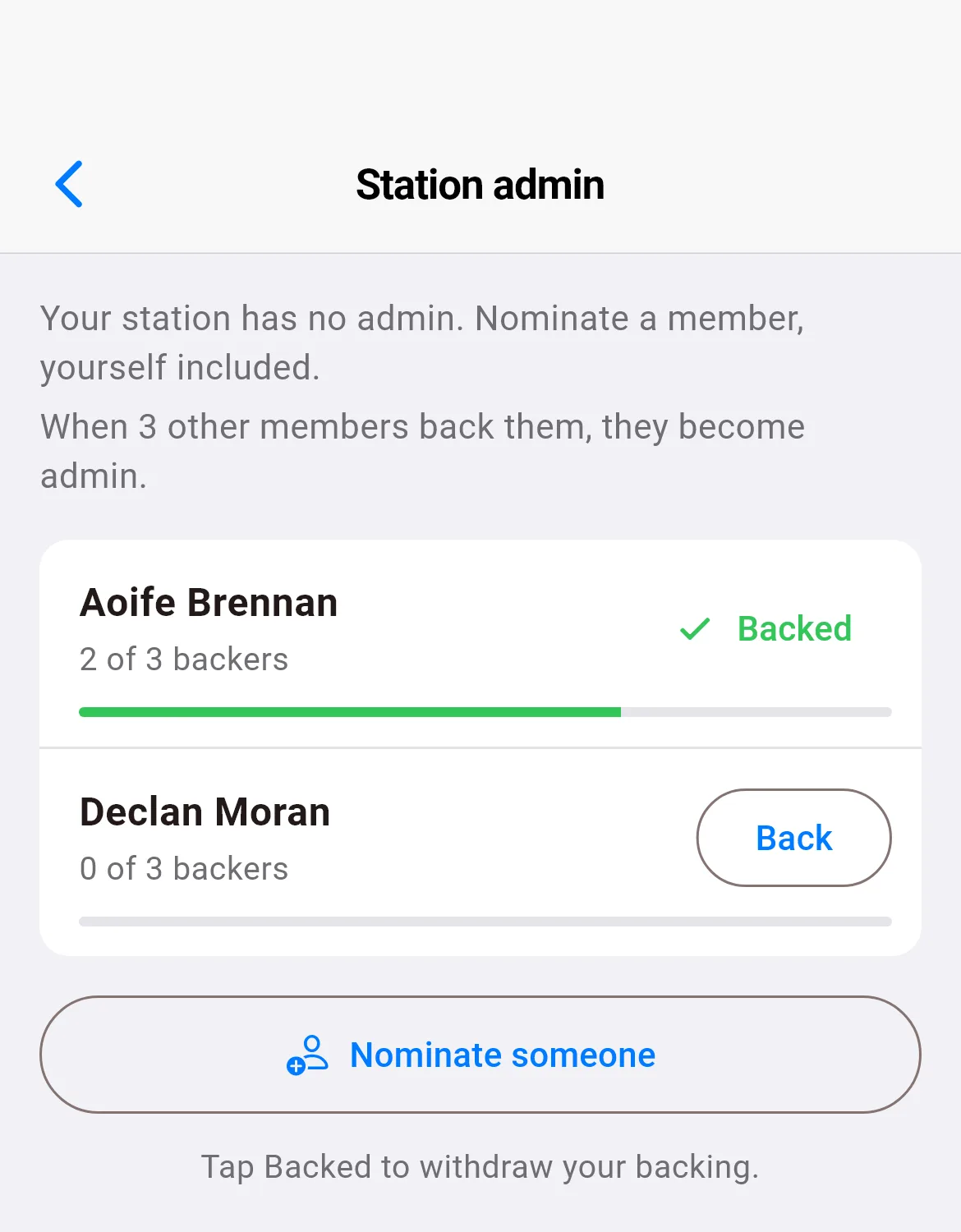
- Smaller crews aren't stuck. If your station has fewer than four members, the nomination needs every other member's backing instead. If you're the only member, nominating yourself makes you admin.
- Your own backing doesn't count. If you put yourself forward, it's the rest of the crew who decide.
- Changed your mind? Tap Backed to withdraw your backing at any time before the nomination carries.
- Each member counts once. Backing someone twice does nothing, and if a backer leaves the station their backing stops counting.
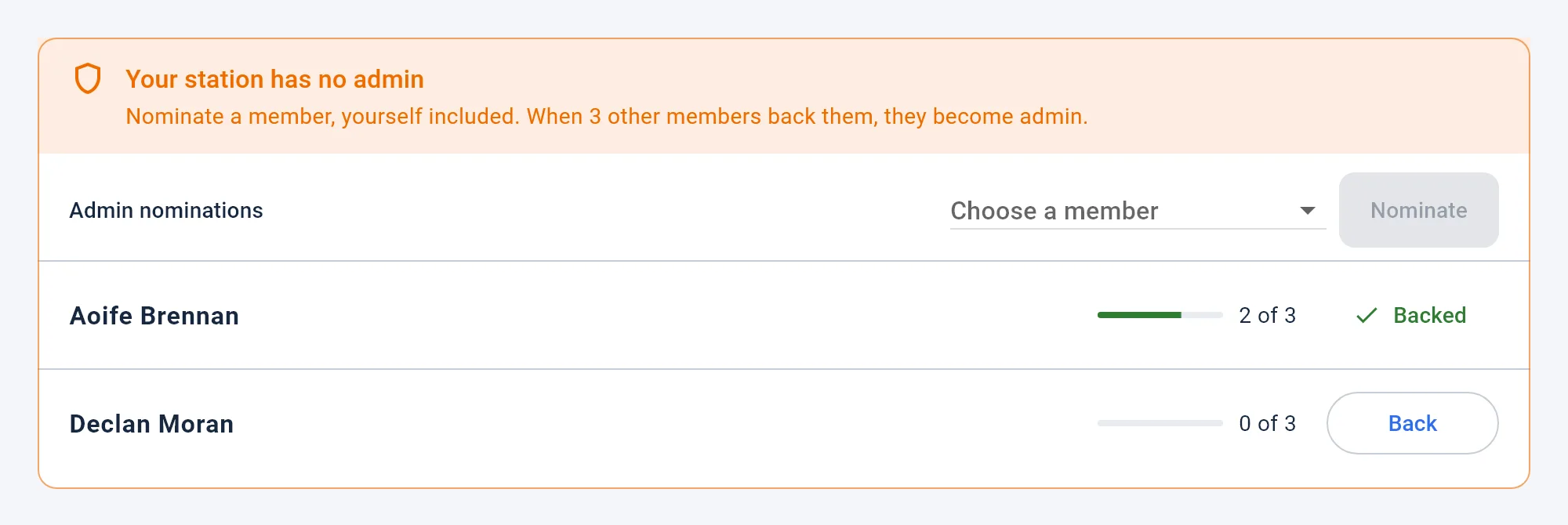
On the station dashboard it's the same, as a card at the top of the Overview: choose a member and press Nominate, or back someone who is already nominated.
It can't be used to replace an admin
Nominations only open while a station has no admin. Once someone is admin, the nomination strip disappears and nominations are refused, so they can never be used to work around the person already managing the station. If your station has an admin and you'd like someone else to have admin rights, ask them: they can make anyone an admin from that member's profile.
Getting it
Automatic hand-over is part of our next server update, so it applies to every station without anyone needing to update their app. Nominating an admin arrives with the next update of iFire, iCrew and iRescue, for iPhone and Android, and on the station dashboard at the same time. Like everything to do with running your station, it's never locked behind a subscription.
Got thoughts on it, or something you'd like to see next? Get in touch. Most of what we build starts with a crew telling us what would make running their station easier.
Screenshots show a made-up station.