
Sometimes you're available, but not close by: at the shops, dropping the children off, or at work on the far side of town. Available but delayed tells the station you can come, but you'll take longer to get there.
Set yourself as delayed
- Tap your status at the top of the Team screen.
- Choose Available but delayed.
Say how far away you are
While you're delayed, a HOW FAR AWAY? strip appears at the top of the Team screen. Tap how many minutes away you are, from 5 to 60.
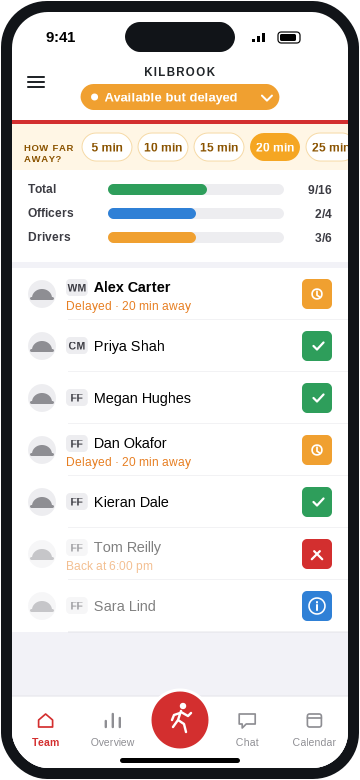
Your crew then see Delayed · 20 min away under your name, and so does the crew-room board.
When a callout comes in
If you respond while you're delayed, the app works out your arrival time from how far away you said you were, and shows it to your crew. You can change it with the RUNNING LATER? strip.
The delay clears when you change to any other status.