
If you're ill, book yourself off sick in the app. You're shown as unavailable on the station's plan. Your crew and your managers see unavailable, never the reason.
Book yourself off sick
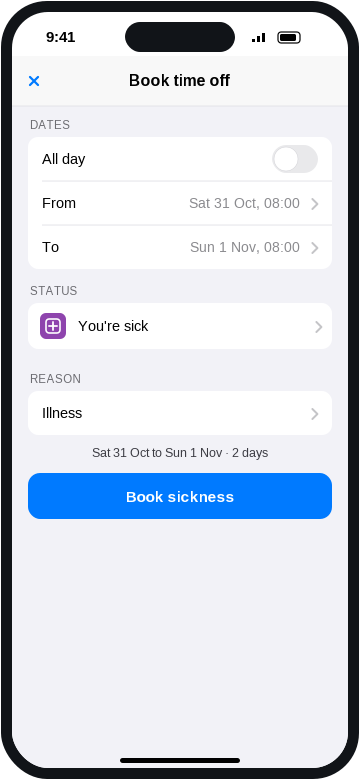
- Open the side menu and tap Book time off.
- Tap the status row and choose You're sick.
- Choose a Reason: illness, injury on duty, injury off duty, mental health, a medical appointment or other.
- Check the dates. It starts from the current hour and lasts 24 hours unless you change it, up to 92 days.
- Tap Book sickness.
When you're better
While you're off sick, a card at the top of the Calendar tab says Off sick until and the end time. Tap I'm back now to end it at the end of this hour, or Cancel booking if you booked it by mistake.
If you don't see You're sick, your station's server hasn't been updated for it yet.