
You can choose the sound your callout alerts make. Pick one you'll recognise straight away, even in your sleep.
Choose your tone
- Go to Settings › Notifications settings › Alert tone.
- Tap the play button next to a tone to hear it.
- Tap the tone's name to choose it. A blue tick shows your choice.
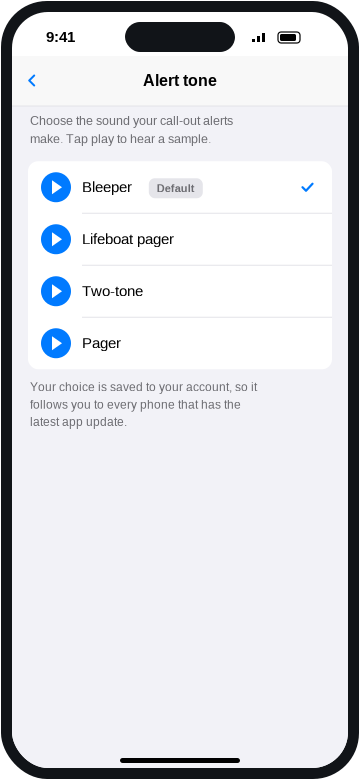
The tones are Bleeper, Lifeboat pager, Two-tone and Pager. Each app starts with its own default: Bleeper in iFire, Lifeboat pager in iCrew and Two-tone in iRescue.
Then tap Send test alert to hear your tone arrive as a real callout. On Android it plays at your alarm volume.
Your choice is saved to your account, so it follows you to a new phone. Older versions of the app keep the usual tone, so update the app if your choice doesn't play.