
The Crew hours page totals how many hours crew were available, week by week or month by month. It's built for line managers keeping an eye on the crew who chose them.
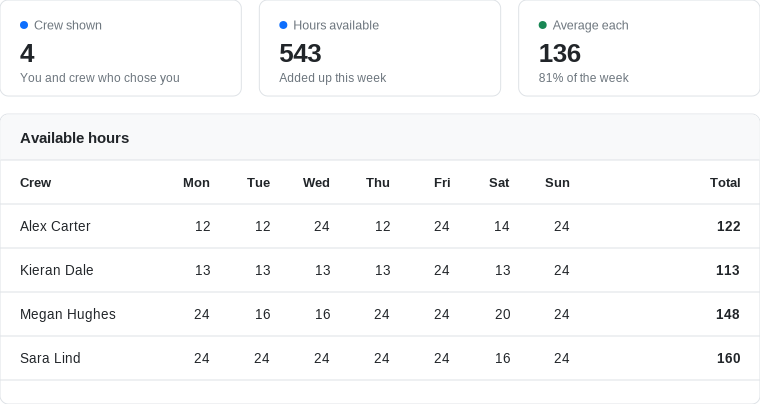
Whose hours you see
Your own, plus the members who chose you as their line manager. Station admins don't see everyone's hours just because they're admins: a member's history belongs to them and the line manager they chose.
Using the page
- Switch between Week and Month.
- Use the arrows to go back in time, and This week (or This month) to come back.
- The tiles at the top show how many people are included, their available hours added up, and the average each.
Export to a spreadsheet
Choose Export to download a CSV file you can open in Excel or Google Sheets. In week view, pick the last 4, 8, 12 or 26 weeks and the crew to include, then choose Download. You get each person's hours per week, their total and their weekly average. Only crew who chose you as their line manager can be included. In month view, the month downloads straight away.
Ask crew to choose you
If crew you look after haven't chosen you yet, choose Ask crew, tick them and send. Each person gets a notification asking them to choose a line manager in the app. It's their choice, and each person is asked at most once a week.
Crew hours need a station subscription.