
Two tools help you keep an eye on cover without opening the app.
Follow crew
Get a notification when particular crew members book on or off, for example your officer or the other drivers.
- Open the side menu and tap Follow crew.
- Switch on each person you want to follow.
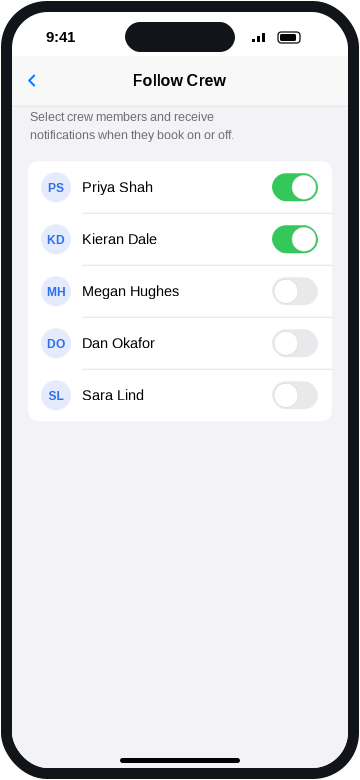
You can follow two people for free. Following more needs a station subscription.
Low crew warnings
Get a notification when the number of available crew for a role drops below a level you choose.
- Open the side menu and tap Low crew warnings.
- Tap a role, such as Total or Drivers.
- Pick the level to warn at, for example Warn when Drivers drops below 2, then tap Save.
Choose Off to stop warnings for that role. Some warnings need a station subscription and show a lock until your station has one.
Station admins and line managers also get alerts when live crew drops below the station's crewing rules, set on the dashboard.