
If you're driving when a callout comes in, you can tell your station you're responding without touching your phone.
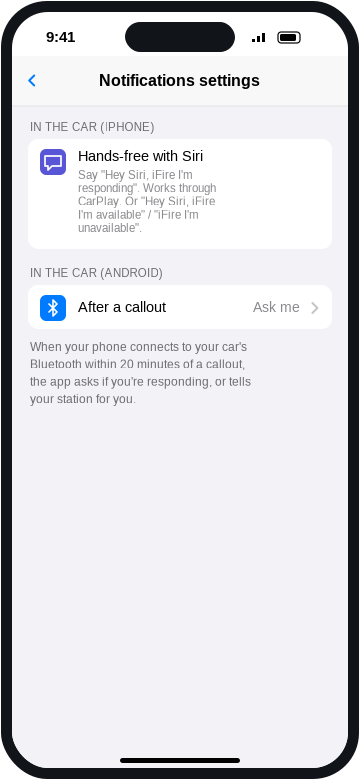
iPhone: ask Siri
Say any of these, using your app's name (iFire, iCrew or iRescue):
- "Hey Siri, iFire I'm responding"
- "I'm responding in iFire"
- "Mark me responding in iFire"
There's nothing to set up, and it works through CarPlay. Siri marks you as responding at your station.
Siri can change your availability too, without opening the app:
- "Hey Siri, iFire I'm available", "Mark me as available in iFire" or "Book me on in iFire"
- "Hey Siri, iFire I'm unavailable", "Mark me as unavailable in iFire" or "Book me off in iFire"
These change your status at your active station. You need the latest version of the app.
Android: when your phone connects to the car
The app can notice when your phone connects to your car's Bluetooth within 20 minutes of a callout.
- Go to Settings › Notifications settings.
- Under In the car, tap After a callout.
- Choose Ask me to get a notification with I'm responding and Responding but delayed buttons, or Automatically to be marked as responding straight away.
The app needs the Nearby devices permission to see when you connect to your car. It only acts once per callout, and never says you're not responding.