
Hydrants and defibrillators added by crew in the app wait for approval before everyone sees them. Moderators review them on the dashboard's Hydrants & defibs page. It's only shown to station admins who have been made moderators by iOnCall, and isn't on iCrew.
Review a submission
- Go to Hydrants & defibs. Pending review lists new submissions near your station, with photos and distances.
- Check the photo and the pin on the map.
- Choose Approve, or Reject with an optional reason.
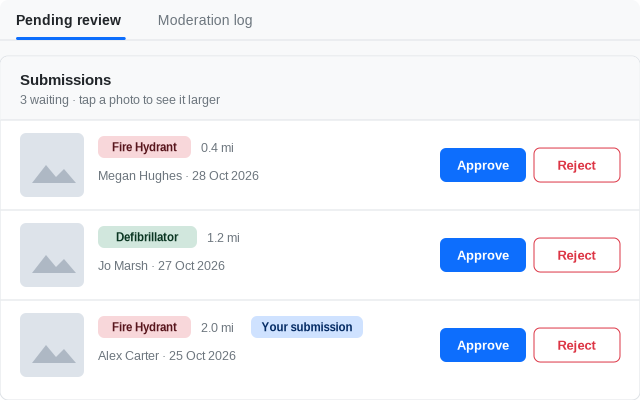
The person who submitted it gets an email either way. Rejected resources are hidden from the map for every crew member, and the reason is kept in the Moderation log.
Things to know
- The list covers 15 miles around your station, so set your station's location first.
- You can approve your own submission; it's recorded as self-reviewed in the log.