
A calendar link puts your plan and your station's events into the calendar app on your phone or computer, next to your work and family dates. It updates by itself.
What it shows
- The times your plan says you're not available.
- The station events you can see in the app.
It's for your active station. If you belong to more than one, switch station first.
Set it up
- Open the side menu and go to Settings › Calendar link.
- Tap Create calendar link.
- Tap Add to my calendar. Your phone's calendar asks if you want to subscribe.
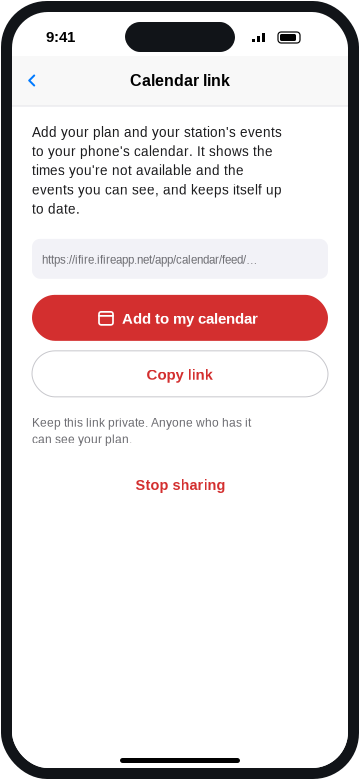
If your calendar doesn't open, tap Copy link and add it in your calendar app as a subscribed calendar. In Google Calendar on a computer, that's Other calendars › From URL.
Keep it private
Anyone with the link can see your plan, so don't share it. To keep it safe, the app only shows the link once, when it's made. If you've lost it, tap Make a new link; the old one stops working.
Turn it off
Tap Stop sharing. The link stops working straight away, and your calendar app stops getting updates.
To change your plan, see Planning your availability.