
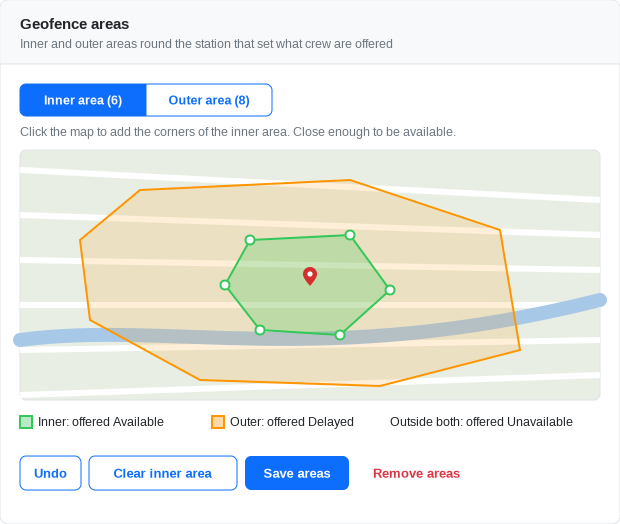
Crew who use geofencing in the app normally get two circles around the station. If circles don't fit your area, because of a river, an estuary or a bridge, an admin can draw the areas to suit.
Draw the areas
- Go to Station settings and find Geofence areas.
- With Inner area selected, click the map to add the corners of the area where crew are close enough to be available.
- Select Outer area and draw where crew are within reach, so delayed.
- Drag a corner to move it. Undo removes the last one.
- Choose Save areas.
Crew who've switched on Use the station's areas in the app get the new areas on their phones straight away.
Rules for areas
- Each area needs 3 to 60 corners, and its edges can't cross.
- Areas must be at least 150 m across, and no more than 30 km.
- The inner area has to sit inside the outer area.
Remove areas sends crew back to their own circles straight away. See also Geofencing in the app.