
Station chat is private to your station, but sometimes a message shouldn't be there. You can report someone else's message to your station admins, and remove your own.
Report a message
- In the Chat tab, press and hold the message.
- Tap Report message.
- Choose why: Offensive or inappropriate, Harassment or bullying, Spam or Something else.
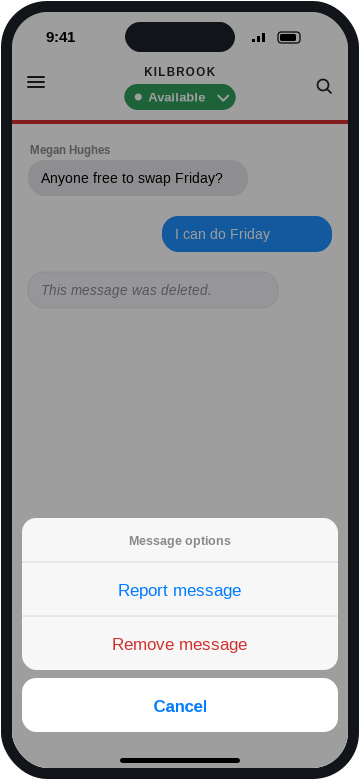
Your station admins get a notification and an email with the message. They aren't told who reported it. The app says Thanks. Your station admins have been told. You can only report a message once.
Remove your own message
- Press and hold your message and tap Remove message.
- Tap Remove to confirm.
It's removed for everyone at the station and can't be undone. In its place, everyone sees This message was deleted.
If you're a station admin
Admins can remove anyone's message the same way. Everyone else then sees This message was removed by a station admin. See Station chat, photos and search for the rest of the chat.
Callout and stand down messages in the chat can't be reported or removed.