
A mobilisation alert pages your crew from the app. It sounds the full callout alarm on their phones, like a real page from control. Use it to call crew in, or to test that alerts reach everyone.
Send an alert
- Tap the round Responding button, then the red Send Mobilisation Alert.
- Pick an alert from the list. Real alerts are grouped under REAL ALERTS; your station's own alerts are at the top.
- Choose who to page: the Whole team, only those Booked on, or Choose people.
- Slide SLIDE TO SEND all the way across.
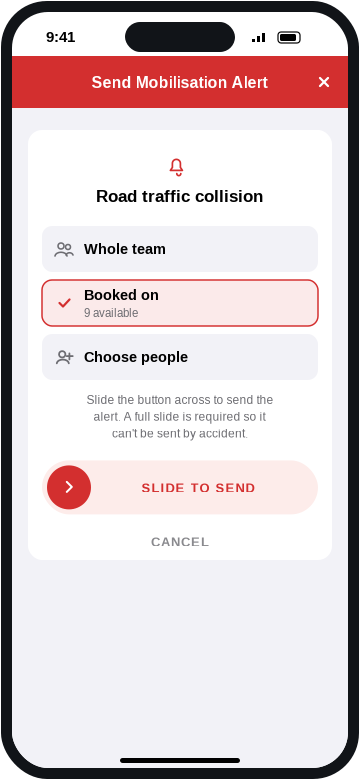
The alert ends with your name, for example Sent by Priya Shah, and appears in the station chat in red.
Testing that alerts work
A personal test alert goes only to you. It's the quickest way to check your phone rings. You can also send one from Settings › Notifications settings › Send test alert. See Making sure callout alerts reach you.
Your station's own alerts
Admins can add alerts with your station's own wording in Settings › Custom Alerts. Custom alerts need a station subscription.
Station admins can also page crew from the Station Dashboard, with a live/test switch. See Sending a callout from the dashboard.