
During a callout, the app can send a few follow-up messages so nobody is missed and the crew board stays right. This article explains each one and who gets it.
Re-alerts if you haven't answered
Your station admin can switch on re-alerts on the Station Dashboard and choose how many minutes to wait. When a callout pages the whole station, or everyone booked on, anyone who is booked on and hasn't answered gets the full callout alert again after that many minutes, and once more after twice as long.
- Answering in any way stops it: I'm responding, delayed, on scene or not attending, from the app or from the notification.
- A stand down stops it too.
- If you're booked off, you're never re-alerted. That also keeps quiet alerts quiet.
- Test callouts, and callouts sent to hand-picked people, are never re-sent.
So if you hear the alert a second time, the station is still waiting for your answer. See Responding to a callout.
"Still on this job?"
The crew board shows a callout's screen and timer for 6 hours, unless it's stood down first. About 5 hours in, the person who paged it and the station's launch authorities get a notification: Still on this job?
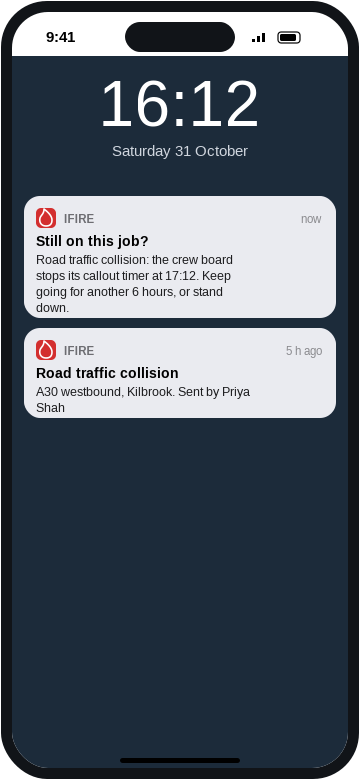
- Still out? Open the app and tap Keep going next to Stand down on the Team screen. The board keeps the callout up for another 6 hours. You can do this as often as you need.
- All finished? Stand the crew down. See Standing down a callout from the app.
Test callouts never get the reminder or Keep going.
Responding cleared when the crew are stood down
Your station can choose to clear everyone's responding status when a callout is stood down. If it does, Settings › Status Changes says Your station clears responding statuses when a callout is stood down.
You can still pick Automatically reset status to clear yours sooner. If you leave it on Disabled, your responding status is cleared at the stand down, or after 6 hours if the callout is never stood down. See Automatic status changes.