
Station settings is where admins look after the station's details and the defaults your crew get in the app. Everyone else sees them read-only.
Station details
The station's name, sector, country and time zone. UK stations always use UK time. The time zone decides when planned availability and automatic book-ons happen, so check it's right. iRescue stations in the UK can also add their HM Coastguard alerting and tasking number here.
Crew defaults
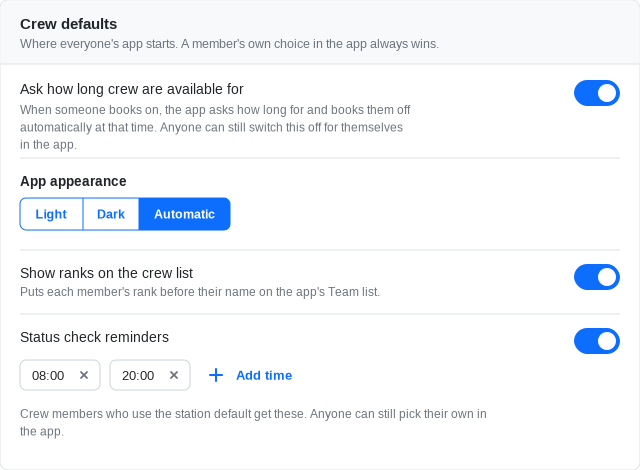
- Ask how long crew are available for: when someone books on, the app asks how long for and books them off automatically. On unless you switch it off.
- App appearance: Light, Dark or Automatic.
- Show ranks on the crew list: puts each member's rank before their name.
- Status check reminders: at the times you set (08:00 and 20:00 to start, up to six a day), each crew member gets a notification saying what they're set to, so a wrong status gets put right. Nobody gets one for an hour their plan already covers.
These are defaults. Each member can still choose their own in the app.
Station logo
Upload a square PNG or JPEG, up to 512 KB. It shows at the top of the app for everyone at your station.
Station location
Click the map to drop a pin, or type the latitude and longitude, then choose Save location. It centres the tracker map and finds hydrants and defibs near the station.
Only station admins can change station settings. Everyone else sees each card read-only.
Also on this page
- Callouts: whether to re-alert crew who haven't answered a callout, and whether to clear responding when a callout is stood down. See Callout reminders and clearing responding on stand down.
- Crew board screens
- Geofence areas
- Export station data